
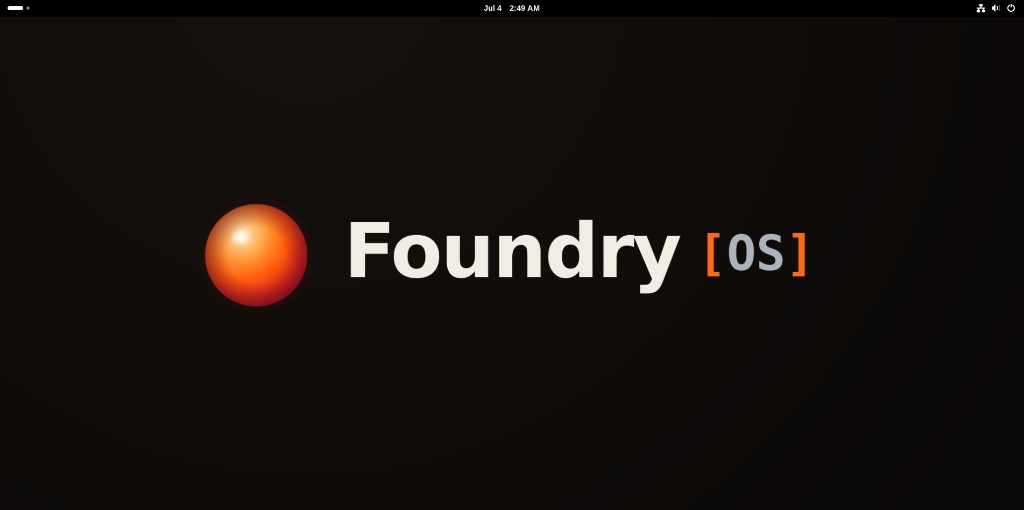
FoundryOS 1.0.19 — stable release, hard-gated and field-tested on real hardware
Fresh where it counts.
Stable to the CORE.
The rock-solid foundation of Debian Stable, with fresh tooling for productivity, AI development, and enterprise deployment — and boot-time rollback so a bad update is never fatal.
A bad update, handled
boot → snapshotWhy FoundryOS
Frozen at the base. Fresh in the layers.
Debian Stable ships deliberately old packages — and that's the point. FoundryOS keeps that foundation frozen, puts newer software in layers above it, and makes a bad update recoverable from the bootloader.
A bad update is never fatal
Every change is snapshotted. If an update breaks the system, reboot and pick the previous snapshot straight from the bootloader — back to a working machine in seconds, no rescue USB.
It heals itself
A boot-counting engine watches for trouble. Consecutive unhealthy boots are automatically routed to the last-known-good snapshot — the machine recovers before you have to.
apt can't delete your desktop
A self-preservation guard refuses any transaction that would rip out the desktop or core system — on both the apt and offline-update paths. No other apt-based distro ships this.
Breakage is explainable
A deterministic substrate journals every change and health-checks every boot, so the system tells you what changed and what likely broke — then fixes the culprit instead of nuking the whole update.
Encrypted, verified, and hard-gated
Full-disk LUKS2 encryption and UEFI Secure Boot are baked in. Every release must also pass a full headless VM install — accessibility-tree-driven, fully encrypted, with snapshot rollback exercised — before the publish pipeline will sign it. No override flag exists.
Ready for the org
Active Directory join and domain login work out of the box, with an image IT can standardize — without giving up Debian's stability or recoverability.
Those are the outcomes. The reasoning — why Debian, why Flatpak, why dark mode, why no override flag — gets straight answers on the Why page.
The design in one picture
Four layers. One cardinal rule.
Freshness flows down from the top; stability is protected at the bottom. A package belongs in the highest layer that can host it — so newer software can never contaminate the base.
Apps
Flatpak (Flathub) — browsers, IDEs, productivity, comms
Dev environments
Rootless Podman (Crucibles) — bleeding-edge AI, CUDA, Python
Hardware enablement
Curated overlay — Mesa, kernel, NVIDIA, firmware
Base OS
Debian 13 Trixie — frozen · Btrfs + snapper + GRUB rollback
If an update ever breaks the system, you reboot, pick the previous snapshot directly from the bootloader, and you're back to a working machine in seconds.
See it
A clean GNOME desktop — with tools for the hard parts.
GNOME on Wayland out of the box, and FoundryOS's own apps for the things a desktop should never make you open a terminal for: snapshots, health, updates, the Freshness catalog — and Crucibles, below.
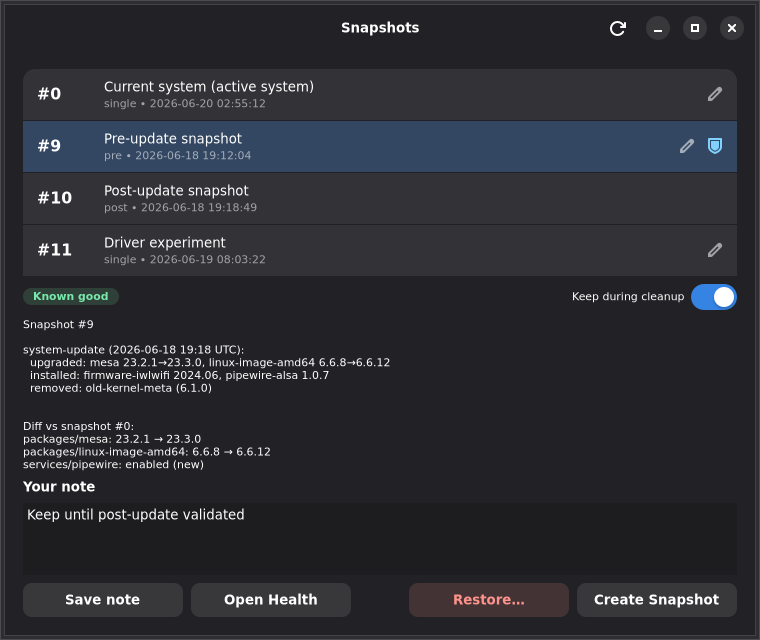
Snapshots
Browse every snapshot, see the exact package diff, mark known-good, and restore — no terminal.
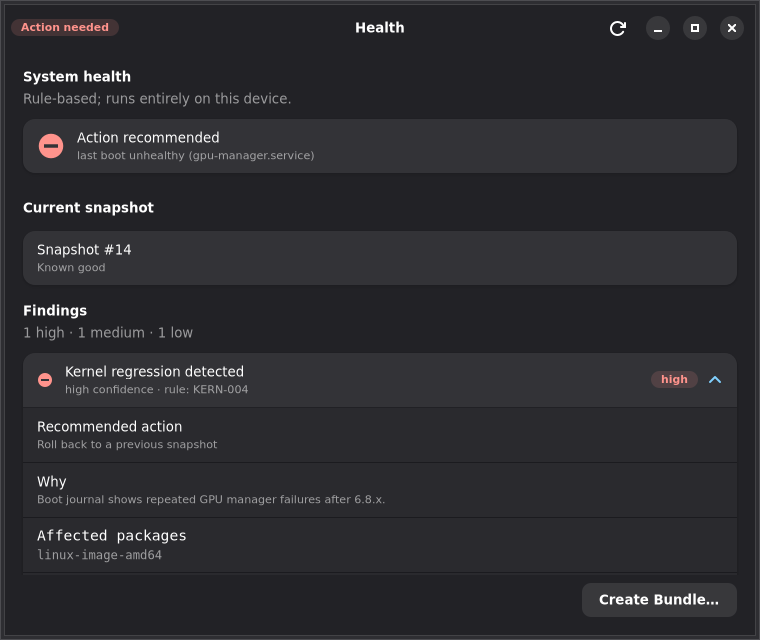
Health
Rule-based boot diagnosis that names the likely culprit and the one command to fix it.
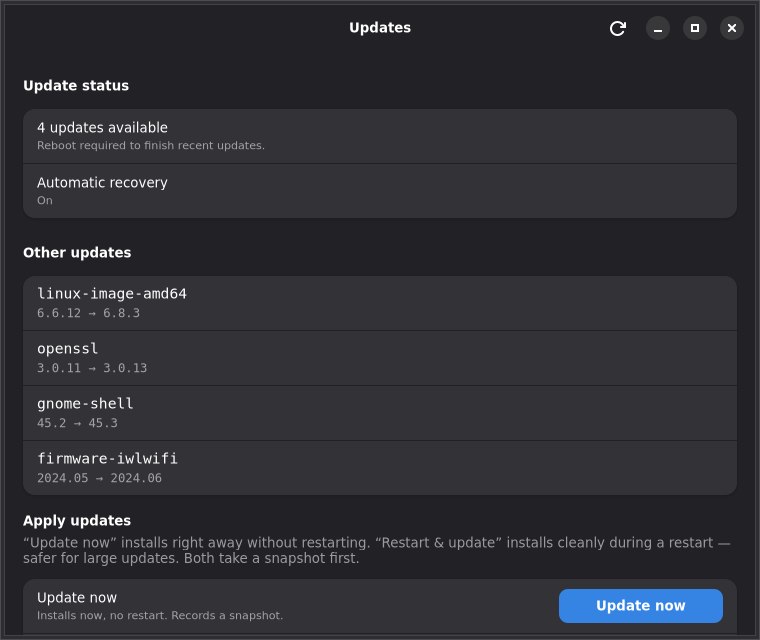
Updates
See what's pending, what needs a reboot, and apply with a snapshot recorded automatically.
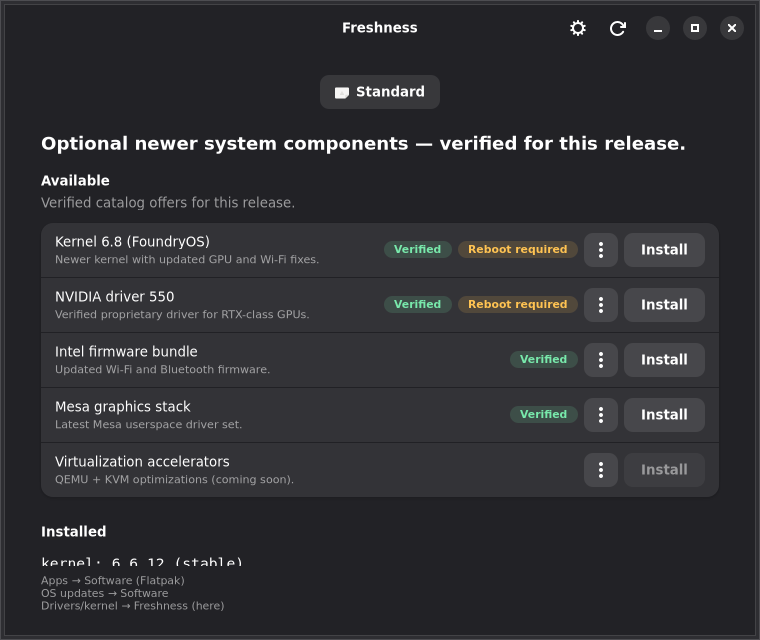
Freshness
Install verified-newer kernels, drivers, and Mesa from the catalog — each one tested.
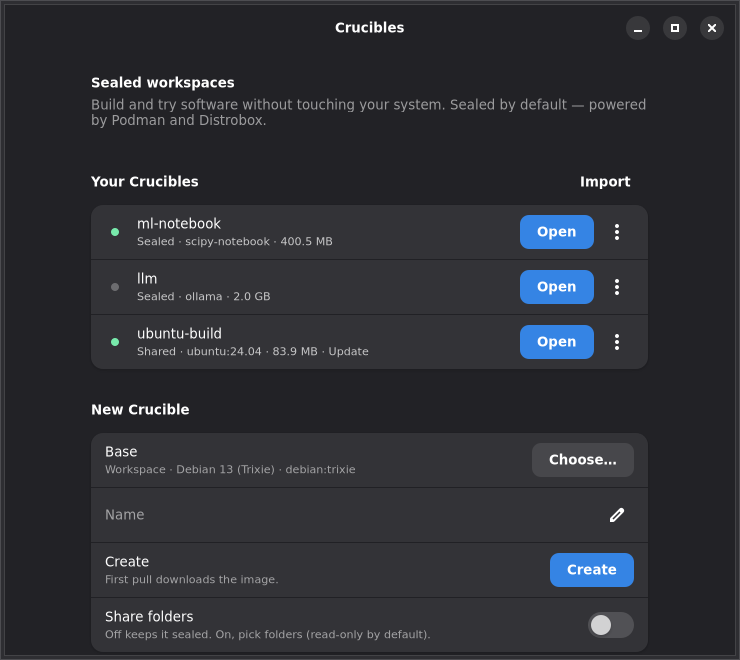
Crucibles
Try anything. Keep nothing you didn't choose.
A Crucible is a sealed, disposable workspace — build software, run a different distro's toolchain, test something sketchy from the internet. Sealed by default: no access to your files unless you explicitly share a folder, and read-only even then unless you say otherwise.
Done experimenting? Delete it and the whole environment is gone — nothing ever touched the base system, so there's nothing to clean up and nothing to roll back. Share one as a .crucible file and a colleague opens it with a double-click.
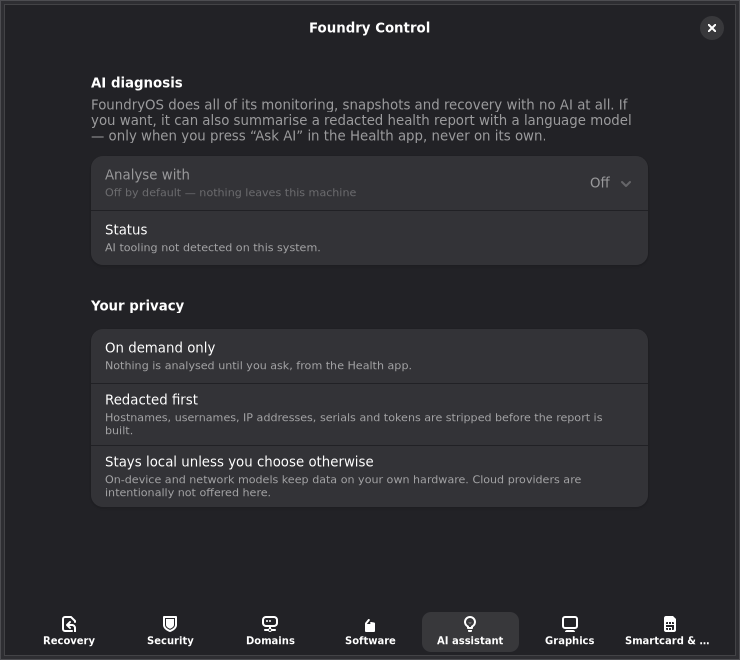
Foundry Control
One settings hub for what makes it different.
Every FoundryOS-specific setting lives in Foundry Control — each one off until you choose it, every risky change spelled out in plain language, and all of it lockable by IT for a fleet. Day-to-day tasks stay in their own focused apps; this is where the dials live.
Recovery
Switch on automatic rollback and choose how many bad boots trigger it — or have the machine boot the last good snapshot and let you promote the fix yourself.
Boot security
See at a glance whether Secure Boot is enforcing and what your TPM supports — the same facts the boot splash quietly reports, in plain language.
Software
Opt in to fresher backports beyond the verified catalog, behind a clear risk dialog. The tested catalog always stays available.
AI assistant
Optional diagnosis that runs on-device or on your own network — never in the cloud unless you deliberately wire it up. With it off, nothing about your system is ever sent anywhere.
Smartcard & web auth
PIV/CAC/YubiKey web sign-in works out of the box in native browsers and the default Flatpak Firefox — the case every other distro breaks. Import an agency CA into the system store and every browser NSS store in one pass. A card never touches how you log in to the machine.
Domains
Join an Active Directory domain, verify the join, and repair it — status-first, with every change delegated to auditable system tooling.
The Freshness catalog
Newer software, only when it's proven safe.
Security fixes flow automatically. Feature and version jumps require your explicit consent — and a curated Freshness catalog tracks which fresher packages have actually been tested against the FoundryOS base.
We want that catalog to be deep and constantly re-verified. That testing runs on real machines and AI tooling — which costs money. Donations fund automated verification, so the approved catalog gets richer for everyone.
Help grow the catalog →The flywheel
- 1
Donations offset tokens
Community support covers the AI + compute cost of testing fresher packages.
- 2
Automated verification runs
Each candidate is installed, snapshotted, boot-health-checked, and rolled back in a clean VM.
- 3
Catalog gets richer
Proven packages join the approved Freshness catalog — fresh and safe.
- 4
Everyone benefits
You get newer software on a base that still can't be broken.
Lean install.
Built to stay.
Debian Stable frozen at the core, fresher software in layers you opt into, and none of the bloat. Free, open source, and built in the open — try it in a VM or on real hardware today.